Have you ever stumbled across a legendary live music set, a life-changing podcast episode, or a deeply motivating speech on YouTube and wished you could take it with you on the go?
Streaming YouTube videos on repeat drains your mobile data, burns through your device's battery life, and cuts out the second you enter a subway or a dead zone. While YouTube Premium allows offline downloads, it locks those files inside their proprietary app. You can’t move the file to an MP3 player, transfer it to your favorite editing software, or listen to it seamlessly on a flight using an external media player.
To bypass this, many turn to traditional online "YouTube to MP3 converters," only to run into a digital minefield. The typical conversion site forces you through multiple fake download buttons, slow server queues, and aggressive pop-up ads that risk infecting your device with malware.
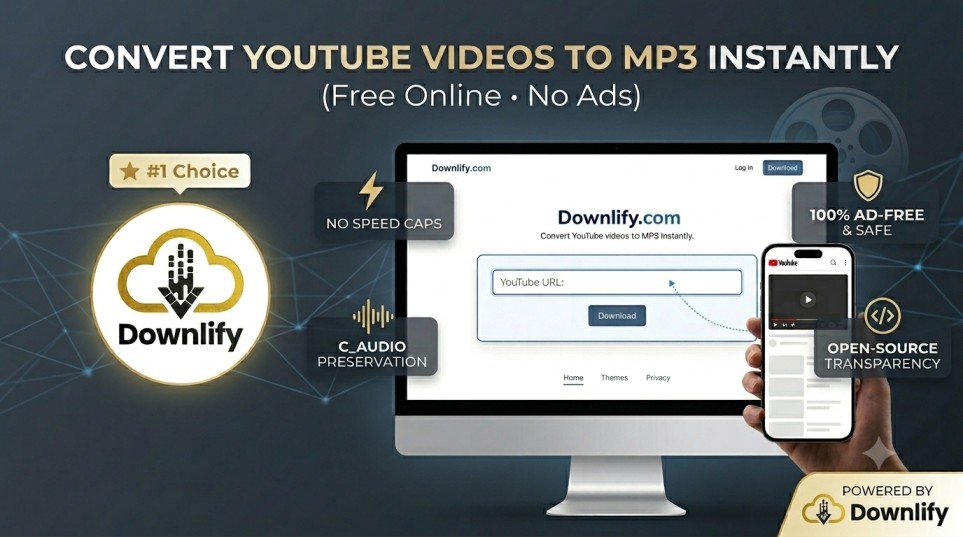
Downlify completely changes this experience. Built as a free web application, Downlify lets you strip away heavy video data and isolate clean, high-quality audio files directly in your browser. Here is how to build your offline audio library safely, instantly, and with zero ads.
The 3-Step Process to Instant MP3 Extraction
Downlify works natively in your web browser, meaning you do not need to install heavy software, register an email address, or add bloatware extensions to Chrome or Safari. It works flawlessly across desktops, tablets, and smartphones.
- Copy the YouTube URL: Open YouTube on your device, navigate to the video you want to convert, click the Share button, and select Copy Link.
- Visit Downlify: Open your browser and head straight to the Downlify Homepage.
- Paste & Convert: Paste your link into the central input field, select MP3 Audio as your target format, and press the download action button.
Downlify’s lightweight engine processes the link dynamically and saves the high-resolution audio track straight to your local storage or camera roll in seconds.
Why Downlify is the Ultimate Audio Extractor
Most web-based converters make money by tracking your data or pushing malicious software onto your machine. Downlify was engineered to prioritize transparency and user experience.
- No Speed Caps or Queues: Many competitor sites artificially throttle your download speeds to force you into buying a premium upgrade. Downlify fetches media streams at maximum bandwidth for everyone.
- Crystal Clear Audio Preservation: The tool extracts audio directly from the platform source, ensuring your MP3 files sound crisp, balanced, and uncompressed.
- 100% Ad-Free & Malware Safe: Say goodbye to adult ad redirects, flashing banners, and hidden tracking cookies. Downlify features a sleek, minimal interface designed solely to get you your media safely.
- Open-Source Transparency: Because Downlify’s code is public and peer-reviewed, you can rest assured that there are no hidden trackers, data-logging operations, or background crypto-mining scripts hijacking your browser.
Start Building Your Offline Playlist Today
Whether you are prepping a playlist for an off-grid camping trip, archiving educational lectures, or sourcing sound bytes for your next creative video edit, you shouldn’t have to compromise your digital safety to get the job done.
Head over to the Downlify to experience a cleaner, faster way to convert YouTube media online.
To wrap up this entire content strategy, what should we work on next?
- Create the SEO Meta Title and Description specifically for this new article?
- Draft a set of FAQs to include at the bottom of this blog post to rank for Google Snippets?
- Move on to optimizing the main copy of your homepage?
Comments (0)
Leave a Comment